
Mighty Mule Gate Opener Troubleshooting: Beep Codes, Fixes & Resets (2026)
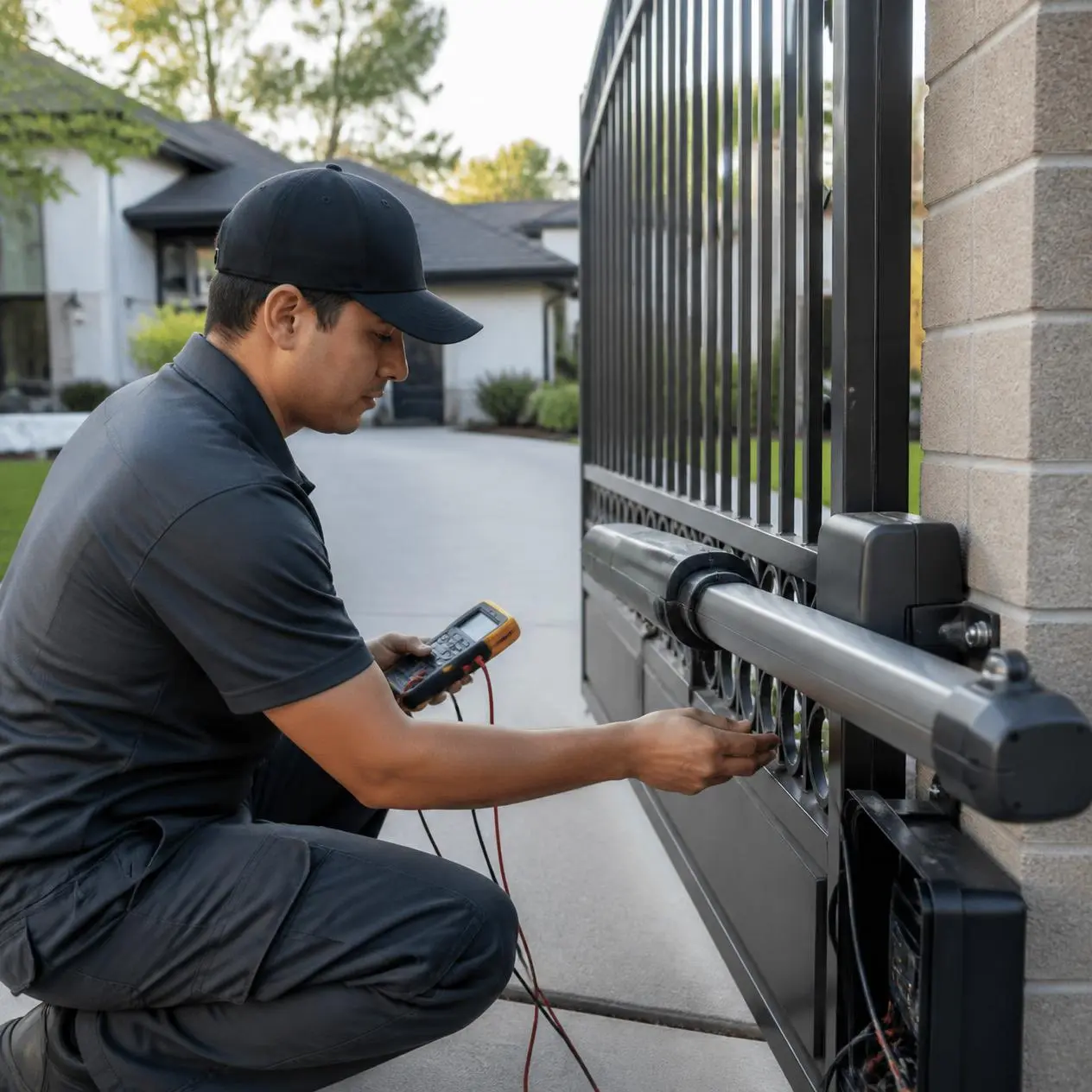

Automatic gate openers have become a popular choice for homeowners looking to improve security, convenience, and controlled access to their property. Among the many brands available, Mighty Mule gate openers are well known for their reliability, ease of installation, and compatibility with residential swing gates. Like any mechanical and electrical system, though, they can develop problems over time from daily use, weather exposure, power fluctuations, or normal wear and tear.
This guide covers troubleshooting for the most common residential Mighty Mule models, including the MM371W, MM372W, MM571W, and MM572W, plus the beep codes, LED signals, and reset steps that apply across most of the Mighty Mule lineup. If your gate won’t open, stops halfway, ignores your remote, or has started beeping at you, you’re in the right place.
At Austin Gate Repairs, we work on automatic gate systems across Austin, TX and the surrounding areas, including a steady stream of Mighty Mule service calls, especially after the freeze-thaw swings and summer heat our Central Texas gates deal with every year. Most of what follows can be checked and often fixed by a homeowner in under 30 minutes. When it can’t, we’ll tell you exactly what to say to whoever you call next.
Quick Mighty Mule Gate Opener Troubleshooting Checklist
Before disassembling anything or calling for repairs, work through this table first. Most Mighty Mule problems trace back to one of these six areas.
| Problem | Most Likely Cause | First Thing to Check |
|---|---|---|
| Gate won’t open | Weak or dead battery, no power | Battery voltage and power supply |
| Gate won’t close | Dirty or misaligned safety sensors | Clean and realign the sensors |
| Remote isn’t working | Dead remote battery or lost programming | Replace battery, then reprogram |
| Gate moves slowly | Low battery or mechanical resistance | Battery voltage and hinge/track resistance |
| Gate stops halfway | Obstruction or limit switch issue | Gate path, hinges, and limit switch settings |
| Motor runs, gate doesn’t move | Loose opener arm or worn gears | Arm connection and linkage |
| Gate beeps repeatedly | Diagnostic fault code | Count the beeps, see the table below |
What Do Mighty Mule Beep Codes and LED Flashes Mean?
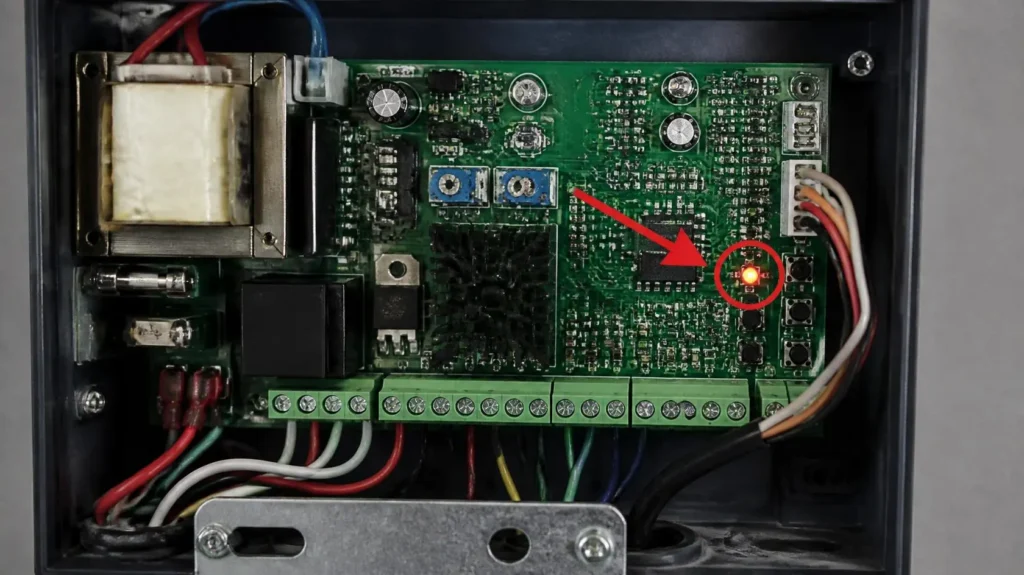
If your gate has started beeping or flashing an LED on the control board, it’s not malfunctioning randomly; it’s telling you exactly what’s wrong. Most Mighty Mule control boards use a beep-count and LED-flash system to flag faults. Patterns can vary slightly by model and firmware version, so always cross-check against your specific owner’s manual, but the general pattern looks like this:
| Beeps / Flashes | Likely Meaning | What to Do |
|---|---|---|
| 1 beep / 1 flash | Low battery voltage | Test and likely replace the battery |
| 2 beeps / 2 flashes | Obstruction detected | Clear the gate path and re-test |
| 3 beeps / 3 flashes | Motor current/overload error | Check for mechanical binding at hinges or track |
| 4 beeps / 4 flashes | Limit switch error | Re-adjust the open/close limit settings |
| 5 beeps / 5 flashes | Power surge or supply fault | Check the transformer/breaker, then reset the board |
| Continuous beeping | General system fault | Perform a full reset (see below) |
Where to find the LED: On most residential models, the diagnostic LED sits on the main control board inside the operator housing, near the terminal strip. Watch it for a full 10 seconds to count the pattern accurately; a partial count is the most common reason people misdiagnose the issue.
A quick heads-up from experience: the “obstruction detected” code gets misread more than any other. Homeowners often assume the motor is failing, when nine times out of ten it’s a dirty or slightly misaligned sensor lens, a five-minute fix, not a repair bill.
1. Mighty Mule Gate Opener Won’t Open
One of the most common complaints is pressing the remote and getting nothing, no movement, maybe a faint hum. Causes range from a discharged battery to a mechanical obstruction blocking the gate.
Check these first:
- Confirm the opener is receiving power.
- Test the battery. A healthy 12V battery should read roughly 12.4V–12.7V at rest; below 12.0V, it can no longer reliably run the gate.
- Inspect visible wiring for loose or damaged connections.
- Make sure the emergency manual release hasn’t been left disengaged.
- Verify the gate swings freely by hand (follow your manual’s safety instructions before doing this).
If the gate moves freely by hand but still won’t operate automatically, the issue likely sits with the motor, control board, or wiring, not the gate itself. If it’s still unresponsive after these checks, it’s time for a professional Gate Opener Repair inspection rather than continuing to force it.
2. Mighty Mule Gate Won’t Close
A gate that opens fine but won’t close is usually protecting itself, not malfunctioning. Mighty Mule’s safety sensors are designed to stop or reverse the gate whenever they detect a possible obstruction, and the fix is often simpler than it seems.
Inspect:
- Safety sensor lenses for dirt, dust, or spider webs.
- Sensor alignment: both units should face each other directly.
- Branches, stones, trash cans, or anything else in the gate’s path.
- Gate hinges and moving arms for binding.
- Loose hardware affecting alignment.
Even a thin film of dirt on a sensor lens can interrupt the beam and stop the closing cycle. If cleaning and realigning doesn’t resolve it, the control board or limit settings may need inspection.
3. Mighty Mule Remote Control Isn’t Working
A dead remote doesn’t always mean a dead opener; often the opener is fine, and the remote just isn’t communicating with the receiver.
Work through this order:
- Replace the remote’s battery (most Mighty Mule remotes use a CR2032 coin cell, typically good for 1–2 years).
- Test a second programmed remote if you have one.
- Move within roughly 50–75 feet of the gate in open air to rule out range issues; metal gates, fencing, and nearby wireless devices can cut effective range significantly.
- Reprogram the remote: press and hold the LEARN button on the control board until the LED flashes, then press the remote button within about 30 seconds.
- Confirm the remote hasn’t lost its programming after a power outage or reset.
If no remote works but the keypad or manual control button still operates the gate, the problem is likely the receiver or control board rather than any single transmitter.
4. The Gate Stops Halfway During Operation
If your gate starts opening or closing and then suddenly stops, the system is usually detecting resistance or an incorrect signal from a safety component, not failing outright.
Common causes:
- Dirt or debris in the gate path.
- Misaligned safety sensors.
- Worn hinges or gate hardware.
- Low battery voltage reducing motor performance.
- Gate binding from poor post or hinge alignment.
- Limit switch settings that don’t match the gate’s actual full-open/full-close positions.
Start with a visual inspection of the full swing path, damaged hinges, loose brackets, or anything caught near the arc. If the gate stops in the same spot every time, suspect a limit switch or mechanical alignment issue rather than the opener’s electronics.
5. Mighty Mule Gate Moves Slowly
A gate that gradually slows down is often showing an early warning sign, not a sudden failure. It usually means the system is working harder than it should.
Check for:
- A weak or aging battery.
- Dry hinges or pivot joints.
- Dirt restricting movement.
- Rust adding resistance.
- Extreme heat placing extra strain on the motor, a real factor during Texas summers.
Routine lubrication and cleaning often restore normal speed when the cause is mechanical. If the gate stays noticeably slow after basic maintenance, have the motor and electrical system checked before continued use causes more wear.
6. Motor Runs but the Gate Doesn’t Move
Hearing the motor run without seeing the gate move usually points to a mechanical disconnect, not an electrical fault. The opener is receiving power and trying to operate, but that motion isn’t reaching the gate.
Possible causes:
- A loose opener arm.
- Worn or damaged gears.
- A disconnected linkage.
- Broken mounting brackets.
- Internal mechanical failure.
These components carry real tension during operation, so avoid attempting major repairs without the right tools. If the motor keeps running while the gate stays still, stop using the system until it’s inspected; continued operation can damage additional parts and increase the eventual repair cost.
Battery and Solar Charging Problems
Most Mighty Mule gate openers run on a 12-volt rechargeable battery, charged by an AC transformer or an optional solar panel. Because the battery powers everything, even a small voltage drop shows up as gate performance problems.
Signs of a weak battery:
- The gate opens noticeably slower than normal.
- The opener works intermittently.
- The gate stops before completing its cycle.
- The motor sounds weaker than usual.
- Performance is fine early in the day but degrades after several cycles.
Testing it yourself:
- Set a multimeter to DC voltage.
- With the gate idle, a healthy battery reads roughly 12.4V–12.7V. Below 12.0V, replacement is likely overdue.
- With AC power connected, the charging circuit should read in the 13.5V–14.5V range, confirming the charger is working.
Rechargeable batteries lose capacity as they age even if they still “hold a charge” on paper; most residential batteries are good for about 2–3 years under normal use. If your system uses a solar panel, check it for dust, leaves, or bird droppings, and confirm the wiring between panel and battery is secure. According to Mighty Mule’s maintenance recommendations, regularly inspecting the battery, keeping solar panels clean, and checking charging connections all help prevent unexpected failures.
How to Reset a Mighty Mule Gate Opener
A full reset clears stored fault codes and can resolve persistent electronic glitches, including stuck beep codes or erratic LED behavior. The exact steps vary slightly by model, so check your manual first, but the general process is:
- Cut the power. Turn off the breaker feeding the opener, then disconnect the battery, negative (black) cable first, positive (red) second. Disconnect solar panel leads too, if applicable.
- Wait about 30 seconds. This lets the control board’s capacitors fully discharge and clears stored fault codes. Rushing this step is the most common reason a reset doesn’t fully take.
- Reconnect power. Battery positive first, then negative, then restore breaker power. The LED should flash briefly, then settle to steady, a sign the reset completed.
- Test the gate. Run one full open-close cycle using the control board button (not the remote), and listen for any beep codes.
- Reprogram your remotes and keypad. A reset typically clears all paired transmitters, so you’ll need to re-pair each one using the LEARN button procedure described above.
Troubleshooting by Model: MM371W, MM372W, MM571W, MM572W
Not every Mighty Mule model behaves identically. Here’s what tends to show up most for the models we service most often in Austin.
| Model | Gate Type | Typical Quirk |
|---|---|---|
| MM371W | Single swing, WiFi/smart-enabled | Higher-torque motor means force/sensitivity settings matter more; too high a force setting is a common cause of the gate “muscling through” obstructions it should be stopping for |
| MM372W | Dual swing, WiFi/smart-enabled | The two gate leaves can fall out of sync; check the delay/timing settings between the master and slave arm before assuming a motor issue |
| MM571W | Heavier-duty single swing | Higher-torque motor means force/sensitivity settings matter more, too high a force setting is a common cause of the gate “muscling through” obstructions it should be stopping for |
| MM572W | Heavier-duty dual swing | Same synchronization considerations as the MM372W, plus more strain on hinges and posts given the heavier gate leaves, check post plumb if you notice binding |
If you’re not sure which model you have, the label is usually printed on the control board housing or the original installation paperwork. Always confirm specifics against your model’s manual before adjusting force or limit settings, since incorrect settings can create a safety hazard.
DIY Fixes vs. Professional Repairs
Many Mighty Mule problems are solvable with basic maintenance. Electrical faults and damaged mechanical components, though, call for the right tools and experience.
| DIY-Friendly | Call a Professional |
|---|---|
| Replace remote batteries | Motor or gearbox replacement |
| Clean and realign safety sensors | Control board repair or replacement |
| Remove debris from the gate path | Electrical wiring faults |
| Lubricate hinges and moving parts | Underground conduit wiring issues |
| Inspect and clean battery terminals | Internal motor diagnostics |
| Tighten visible loose hardware | Post repair or major alignment correction |
| Run the standard reset procedure | Any issue that persists after a full reset |
If you’ve worked through the troubleshooting steps above and the gate still isn’t right, continuing to run it can put extra strain on the motor and other components. For recurring problems or anything electrical, a professional Automatic Gate Repair inspection can catch the root cause before it becomes a bigger repair.
How to Prevent Common Mighty Mule Gate Opener Problems
Most gate opener failures don’t happen overnight; they build gradually as dirt accumulates, parts wear, or components degrade. A few habits go a long way:
Keep the gate path clear. Leaves, gravel, and branches force the motor to work harder than it should. Check the path regularly.
Lubricate moving components. Use a lubricant recommended for your model on hinges and pivot points. Skip heavy grease; it attracts dirt and creates its own maintenance problem.
Test safety sensors monthly. Clean both lenses, confirm alignment, and test the auto-reversal function by breaking the beam while the gate closes.
Inspect the battery and charging system. Check terminals for corrosion, keep solar panels clean, and replace an aging battery before it fails rather than after.
Schedule a professional check-up. A trained technician can inspect the control board, motor, wiring, and safety devices in ways a visual homeowner inspection can’t catch. Regular Gate Maintenance helps catch developing problems early, especially useful given the heat and freeze-thaw cycles Central Texas gates deal with each year.
Frequently Asked Questions
- Why won’t my Mighty Mule gate opener open?
The most common causes are a discharged battery, a power supply issue, a blocked gate path, faulty safety sensors, or a control board fault. Start with the battery, then the gate path, then the remote, before assuming an electrical component has failed. - How do I reset a Mighty Mule gate opener?
Disconnect power at the breaker and battery, wait about 30 seconds, then reconnect and run a full test cycle using the control board button. See the full reset walkthrough above; exact steps can vary slightly by model. - Why is my Mighty Mule gate opener beeping?
Beeping is a built-in diagnostic code, not random noise. Count the beeps and match them against the beep code table above; commonly, one beep flags a low battery and two flags an obstruction, but always verify against your specific model’s manual. - Why is my Mighty Mule remote not working?
Usually a depleted battery, lost programming, signal interference, or a receiver issue. Replace the battery first, then try a second remote if you have one. If neither works, suspect the receiver or control board. - How long does a Mighty Mule gate opener battery last?
Most rechargeable batteries last 2–3 years, depending on usage, weather, and charging method. A gate that’s operating slowly or inconsistently is often flagging a battery on its way out. - Can I repair a Mighty Mule gate opener myself?
Many routine tasks are homeowner-friendly: cleaning the gate path, lubricating parts, replacing remote batteries, and inspecting sensors. Motors, wiring, control boards, and structural issues are best left to an experienced technician to keep the gate safe and under warranty.
Final Thoughts
Mighty Mule gate openers are built for years of reliable service, but like any automatic gate system, they need regular maintenance and the occasional troubleshooting session. A weak battery, dirty sensors, or a minor obstruction account for most of the problems homeowners run into, and most of those are fixable in a few minutes once you know where to look. Working through the checks in order, starting with power and battery and moving toward mechanical and electrical causes, keeps you from replacing parts that were never the problem in the first place.
If your Mighty Mule gate opener is still acting up after working through this guide, it’s worth having it professionally inspected before a minor issue turns into a bigger repair. At Austin Gate Repairs, we diagnose and repair automatic gate systems for homeowners throughout Austin and the surrounding communities, whether that’s a faulty motor, an electrical issue, a damaged opener arm, or a gate that just won’t cooperate. Contact Austin Gate Repairs to schedule a professional inspection and get your gate back to safe, reliable operation.