You can restore reliable driveway gate movement in under 20 minutes. Simply test system voltage, clear safety eyes, or book prompt gate opener repair with our experienced technicians. Fast Apollo gate opener troubleshooting helps property owners in Austin, TX diagnose power failures, stuck actuators, and error codes. For this reason, we cover practical diagnostic checks for 2027 to get your automated gate running smoothly today.
Many homeowners make a costly mistake when their automated gate operator suddenly stops moving. Specifically, they try to force the gate arm manually before checking electrical fuses. As a result, they strip internal motor gears and face steep replacement expenses. You can avoid expensive repairs by following a structured inspection process before touching mechanical parts.
Quick Diagnostic Checks for Your Gate Operator
Before testing complex electronic circuits, you should inspect the physical surroundings of your driveway entrance. First, verify that tree branches, gravel, or soil piles are not blocking the travel path. Next, inspect the gate track and hinges for signs of severe rust or physical binding. If the moving parts cannot swing freely, the motor shuts down automatically to prevent overheating.
Here is an essential pre-check list to run before opening the main electrical box:
- Main Power Switch: Confirm the master breaker switch remains turned on.
- Physical Clearances: Clear all debris, stones, and weeds along the gate swing path.
- Photo Eye Alignment: Ensure optical safety lenses are clean, dry, and properly aligned.
- Manual Release Pin: Disengage the actuator arm to test manual gate swing resistance.
Once you confirm the driveway path remains clear, test the manual release latch immediately. If the gate feels unusually heavy or binds during manual operation, grease the hinges before testing electrical parts. In fact, routine repair and maintenance on mechanical gate hardware solves many false motor failures. However, if the gate swings easily by hand, electrical issues are the primary cause.
Reading Nice Apollo Control Board LEDs and Status Codes
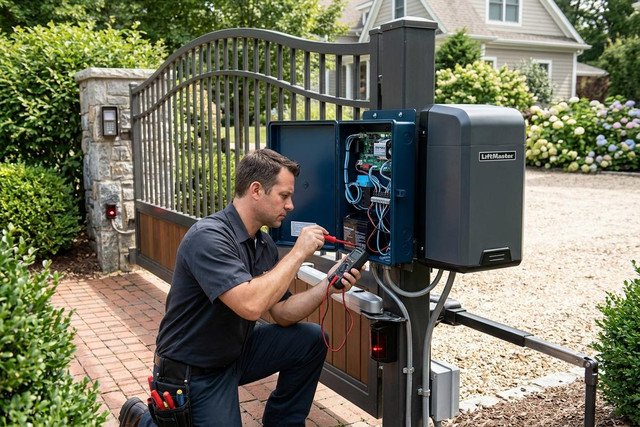
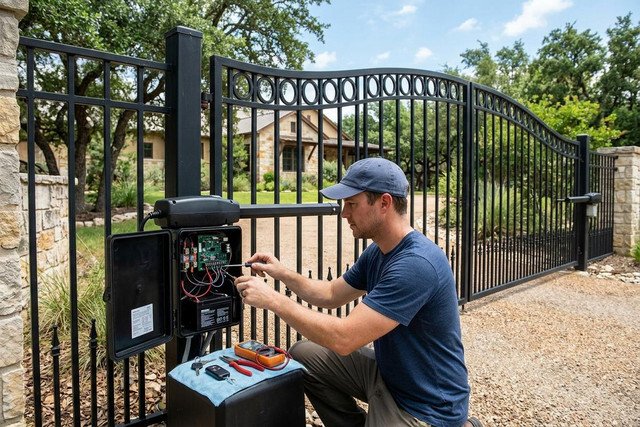
The internal control board functions as the primary diagnostic center for your entire gate system. When unexpected operational errors occur, specific indicator LEDs flash distinct patterns to reveal the problem. For example, a flashing red light usually indicates a triggered safety sensor or insufficient battery voltage. You should open the weather-sealed enclosure to observe active status lights directly.
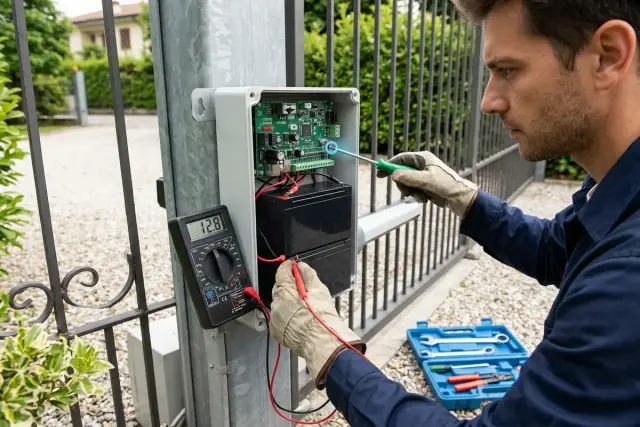
Use this reference table to interpret common Nice Apollo control board LED signals quickly:
| LED Light | System Condition | Action Required |
|---|---|---|
| Green Power LED On | Normal electrical power | System ready for commands |
| Red LED Flashing Fast | Low battery or tripped sensor | Check battery voltage and clear eyes |
| Yellow LED Steady | Stop input active | Inspect safety edge circuit wiring |
Different Apollo control boards utilize slightly varied LED color layouts across model generations. Because of these design updates, you should consult the manufacturer’s manual to verify unique flash patterns. In addition, write down the exact sequence of blinking lights before cutting system power. That way, our technicians can diagnose persistent board faults much faster if you request assistance.
Apollo Gate Opener Troubleshooting for Opening and Closing Failures
When your automated gate refuses to open, the primary cause is often a disconnected control wire. First, check the accessory terminal strips for loose terminal screws or corrosion. If moisture enters the housing, minor corrosion can interrupt the low-voltage control signal. For this reason, reseating every terminal connector often restores normal gate response without replacing components.
If the gate opens halfway and suddenly reverses, an active safety sensor usually causes the interruption. Modern automated gates must meet strict UL safety standards to protect people and vehicles from entrapment. When the infrared safety beam breaks, the gate operator stops and reverses travel direction immediately. Therefore, keep both sensor lenses clean and free from spider webs or leaves.
Inspecting Battery and Solar Charging Problems
Inadequate power delivery stands as the single most common cause of sudden gate failure. Most Apollo systems rely on a deep-cycle 12-volt battery to drive the actuator motor. If the battery charge drops below 11.8 volts under load, the motor stalls immediately. Consequently, you should test the battery terminals with a digital multimeter while activating the gate.
For rural properties using solar gate options, inspect the solar collector panel surface regularly. Over time, thick dust, bird droppings, and tree shade drastically reduce solar panel electrical output. As a result, the storage battery loses charge during prolonged cloudy spells. Regular maintenance ensures continuous solar power and prevents unexpected gate lockouts.
How to Adjust Apollo Gate Opener Limits and Force Settings
Travel limits tell your gate motor exactly where to stop in the open and closed positions. Over several seasons, strong winds and shifting soil can push these mechanical limits out of alignment. When this happens, the motor may strain against the physical gate stop or stop several feet short. Adjusting these settings properly ensures smooth, quiet travel cycles.
You can adjust travel limits by turning the limit adjustment screws on the actuator arm. First, turn the close limit screw slightly clockwise to allow additional travel distance. Next, run a full cycle to observe where the gate panel stops. Because small adjustments cause large movement shifts, always make minor quarter-turn corrections to avoid physical gate post collisions.
Fixing Remote and Receiver Signal Issues
When the gate fails to move, a faulty transmitter is often the true source of trouble. Property owners frequently mistake dead remote batteries for an internal motor failure. If your handheld clicker fails, install fresh batteries and test the signal from several distances. In many cases, replacing weak transmitter batteries resolves the operational issue immediately.
If you experience stubborn remote signal issues, check the external radio receiver antenna on the control enclosure. Loose coaxial connections or metal fences can create heavy radio frequency interference. In addition, you may need to clear receiver memory and pair your remotes again. If wireless keypads work properly while clickers fail, the remote frequency is likely blocked.
How to Reset a Nice Apollo Opener
Power surges and electrical storms can scramble the logic memory on automated circuit boards. Performing a complete system reset wipes temporary memory errors and forces the processor to reboot. First, shut off the master circuit breaker and disconnect the solar panel charging wires. Next, unplug both positive and negative battery terminals on the board.
Wait at least five full minutes before reconnecting any electrical power cables. Because internal capacitors store residual electricity, waiting ensures all memory chips power down completely. Then, reconnect the battery terminals first and switch on the main electrical breaker. Finally, press your control button to run a complete recalibration cycle across both gate limits.
Checking Safety Sensor Wiring and Mechanical Binding
Physical binding and faulty sensor wiring frequently trigger false gate obstruction alerts on driveway systems. Unlike simpler DIY hardware discussed in a Ghost Controls troubleshooting guide or a heavy FAAC gate opener installation, Apollo units use sensitive current sensors. If hinges bind even slightly, the control board halts motor power to protect equipment.
Regular inspections of internal wiring protect against pest damage and outdoor wear. In fact, fire ants and field mice often nest inside warm control boxes and chew through sensor cables. If you notice stripped wire insulation or corroded terminal connections, replace the damaged wiring runs immediately. Proper repair and maintenance keep your automated driveway gate running without unexpected interruptions.
Professional Apollo Gate Opener Troubleshooting in Austin, TX
While basic visual inspections solve many simple issues, complex electrical faults require certified diagnostic tools. If you spot burnt capacitors, melted wiring, or smell electrical smoke, turn off main power immediately. Working with high-voltage electricity without proper tools creates serious personal safety risks. Instead, call licensed technicians who understand complex commercial and residential gate operators.
Our experienced team delivers prompt Apollo gate opener troubleshooting across Austin, TX, and neighboring communities. We carry genuine manufacturer parts to resolve difficult control board faults, sensor errors, and mechanical binding issues on the spot. If you encounter recurring automatic gate problems, contact us to schedule a professional diagnostic inspection and restore complete perimeter security.
Frequently Asked Questions
- How do I reset my gate motor?
You reset your gate motor by disconnecting the main AC electrical feed and unhooking the backup battery terminals for five minutes. This clears the logic board memory completely. Next, reconnect the power leads and trigger a fresh test cycle. - What are the most common electric gate problems and how can they be fixed?
The most common electric gate problems are dead batteries, misaligned safety sensors, and blown fuses. You can fix them easily by replacing weak batteries, cleaning dirt off photo eye lenses, and installing new electrical fuses on the board. - Are Apollo openers good for heavy gates?
Yes, Apollo openers manage heavy gates effectively because they feature commercial-grade linear actuators and sturdy mounting brackets. In fact, these durable systems move heavy wrought iron and wooden gates weighing up to one thousand pounds with exceptional reliability. - Why is my Nice Apollo gate opener beeping?
A Nice Apollo gate opener beeps to alert you to critically low battery voltage or an activated obstruction sensor. Check the control board LEDs to read the warning code, then recharge your battery or remove physical blockages. - How to adjust Apollo gate opener limit switches?
You adjust Apollo limit switches by turning the adjustment screws located along the linear actuator housing. Turn each screw slightly to modify open and close travel distance, then cycle the gate to confirm smooth stop positions.
Contact our local specialists for dependable Apollo gate opener troubleshooting in Austin, TX, to keep your automated entrance operating smoothly.
Call now for fast, reliable Austin gate repair service today.